Lesson 7 · recovery
Stop the work and return to it later
Stop ends the current run, but it does not delete the project or completed changes.
- Windows
- Linux AppImage
- Linux .deb
- macOS coming soon
Windows 10 or later or Ubuntu 22.04 or later (64-bit). macOS coming soon. About 1 GB of free disk space.
Windows may show a SmartScreen warning: click “More info”, then “Run anyway”.
Updated: . Checked in Studio 0.11.4.
1. Press Stop once
Wait for confirmation. Do not close the app while Studio is saving its checkpoint.
2. Check the task board
Completed cards remain Done and the unfinished task keeps its state.
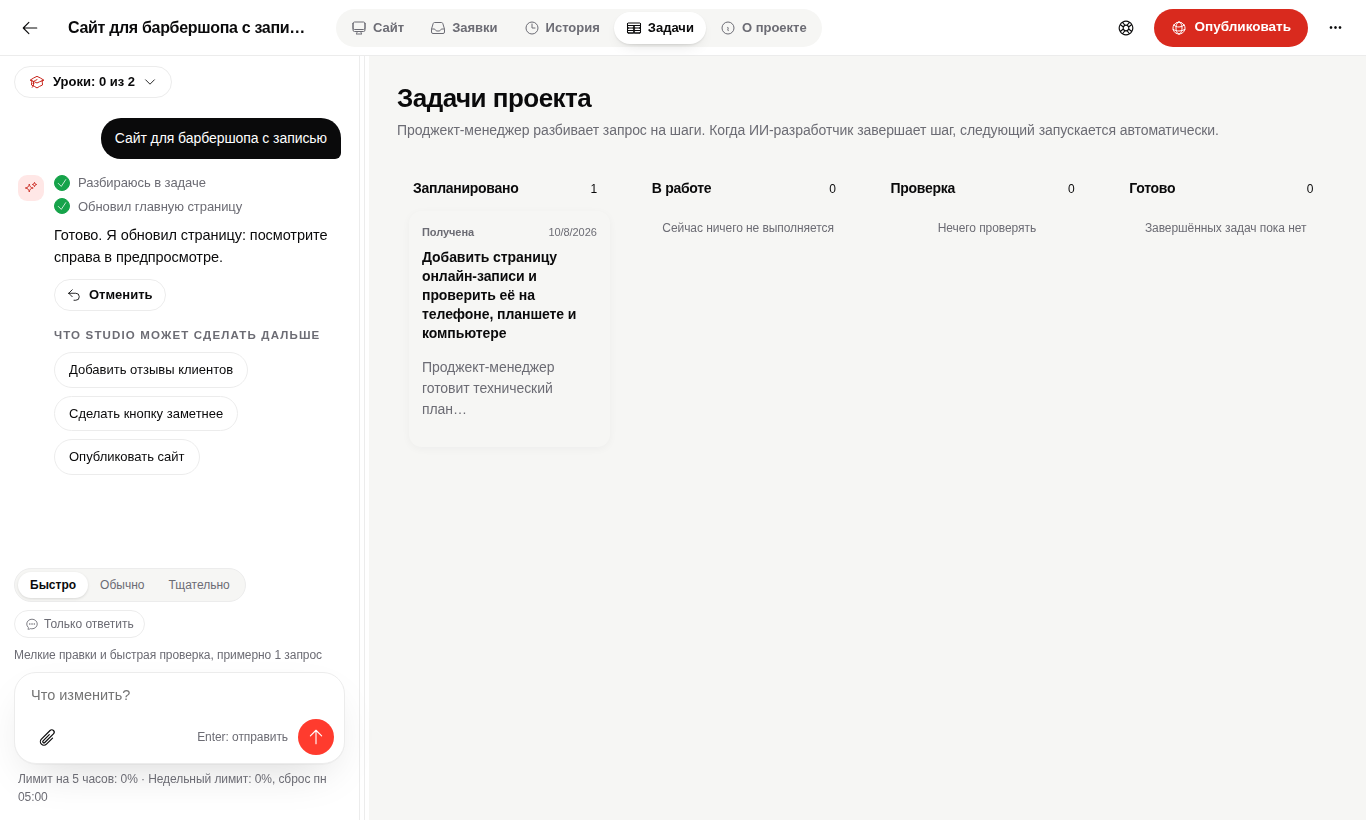
3. Reopen the project and continue
After a restart Studio finds unfinished work and offers Continue or Cancel. You do not need to rewrite the whole request.
When the result is incomplete
Do not publish it. Open History, restore the latest working checkpoint and run the unfinished task again.
Questions
Will completed changes disappear?
No. Studio preserves checkpoints and completed files.
Must I explain the task again?
No. Resume uses the stored plan and project context.
Your work is preserved.
Open the project and continue from the unfinished step.