Lesson 2 · edits
Request a change the way you would ask a person
Describe one verifiable outcome: what changes, where it changes and what should be visible afterward. Studio breaks a long change into tasks itself.
- Windows
- Linux AppImage
- Linux .deb
- macOS coming soon
Windows 10 or later or Ubuntu 22.04 or later (64-bit). macOS coming soon. About 1 GB of free disk space.
Windows may show a SmartScreen warning: click “More info”, then “Run anyway”.
Updated: . Checked in Studio 0.11.4.
1. Choose how to edit
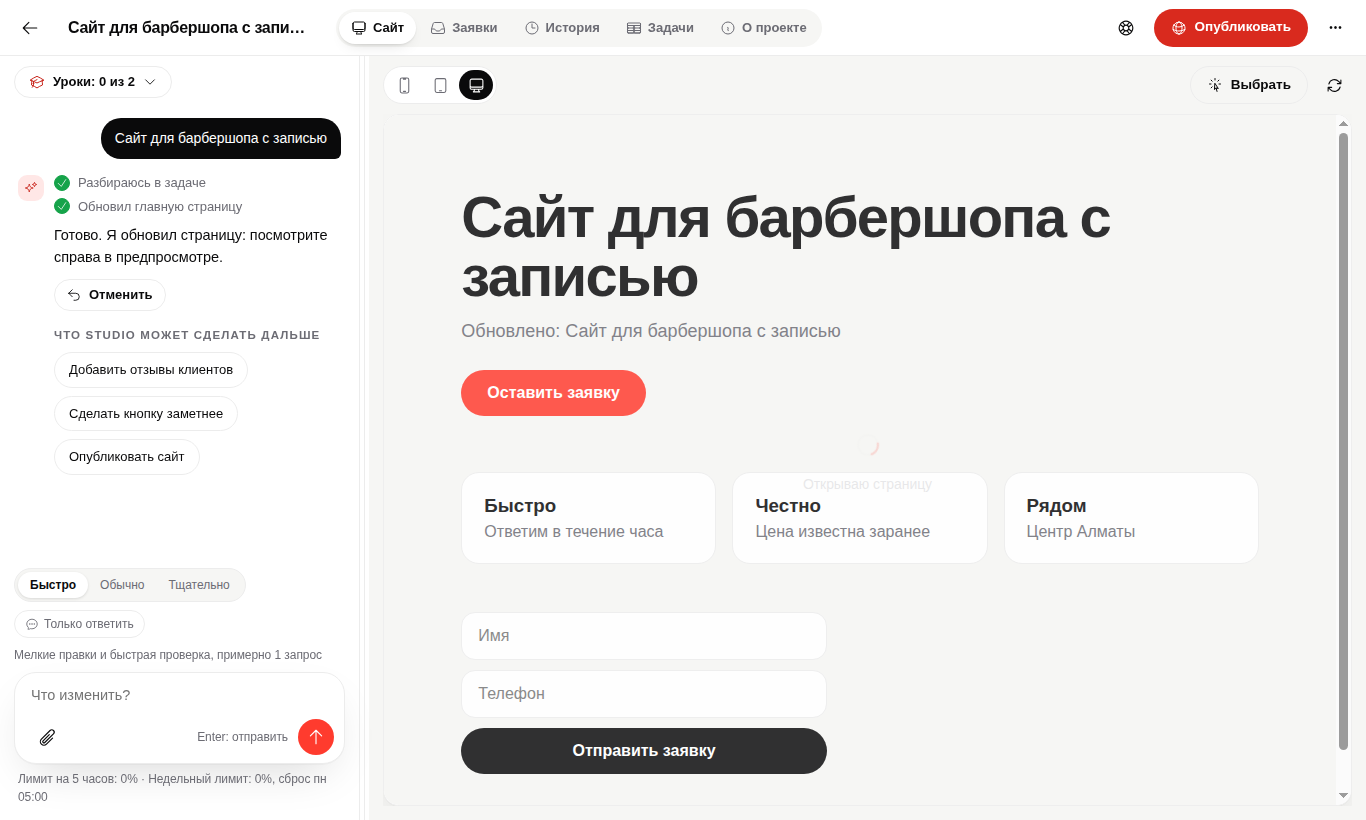
Select an element in preview for a local edit. For a broader change, write: "Make the booking button more visible on desktop and mobile".
2. Follow outcomes, not technical steps
When a change is large, Studio creates several tasks and runs them in sequence. A message about extra steps must not stop the work or make the user plan it.
3. Verify the result
Open desktop and mobile modes. Check the requested result and the main project flow.
When the edit is not right
Open history and restore the checkpoint created before the change. Automatic rollback is not allowed when it may remove later user work.
Questions
Can I send a long change?
Yes. Studio should accept it, persist the turn, split the work and continue in sequence.
Do I need technical language?
No. Describe visible results and behavior.
Verify the main project action.
If the project has a form, send a test lead.